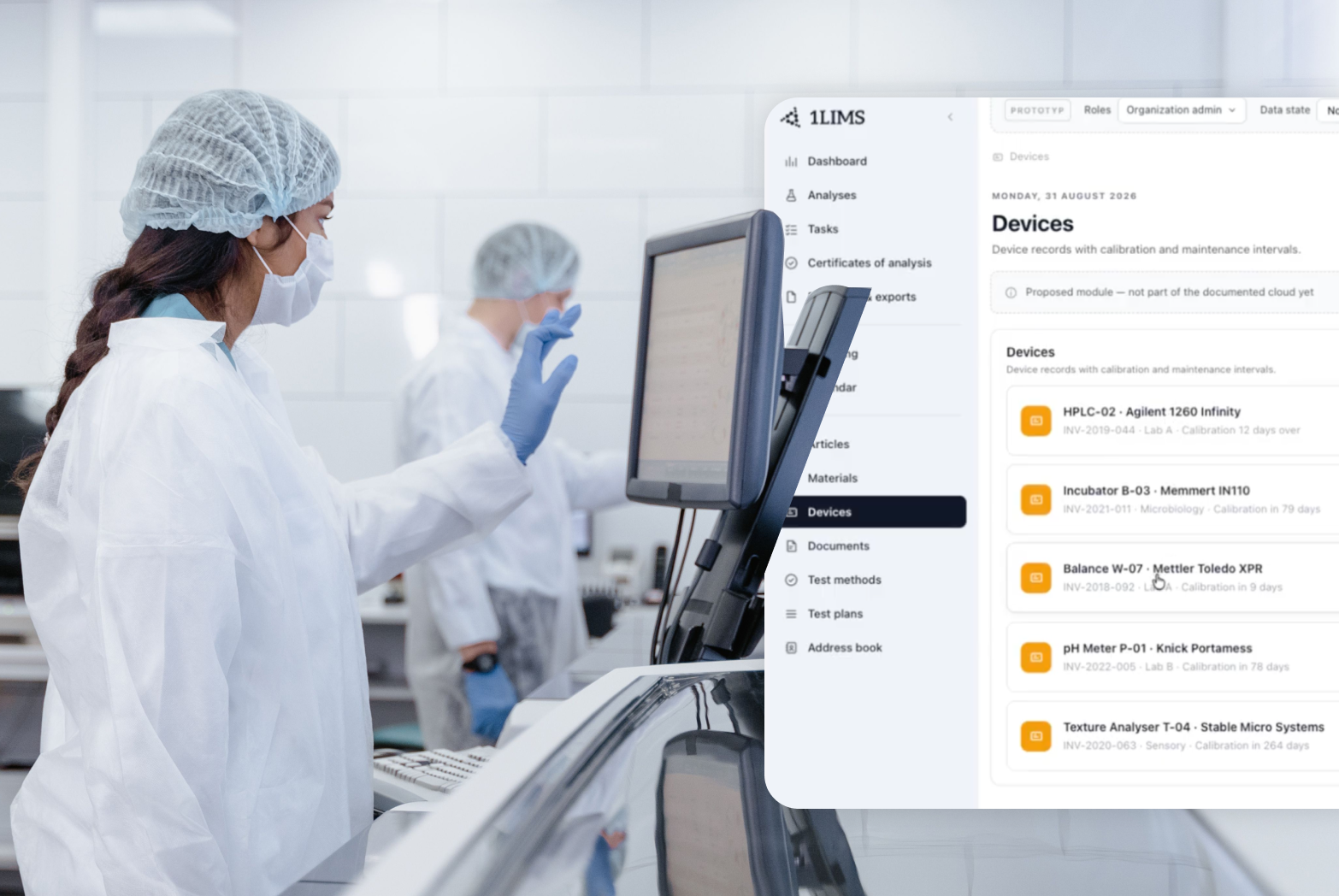
Let’s assume we’re working in a typical QC lab that has adopted LIMS. Paper went years ago, the LIMS is live, and we can claim our lab is digital. But what’s that? Half the team still opens Calibration_2026_FINAL_v3.xlsx every morning. Welcome to the paperless lab, where Excel runs half the show.
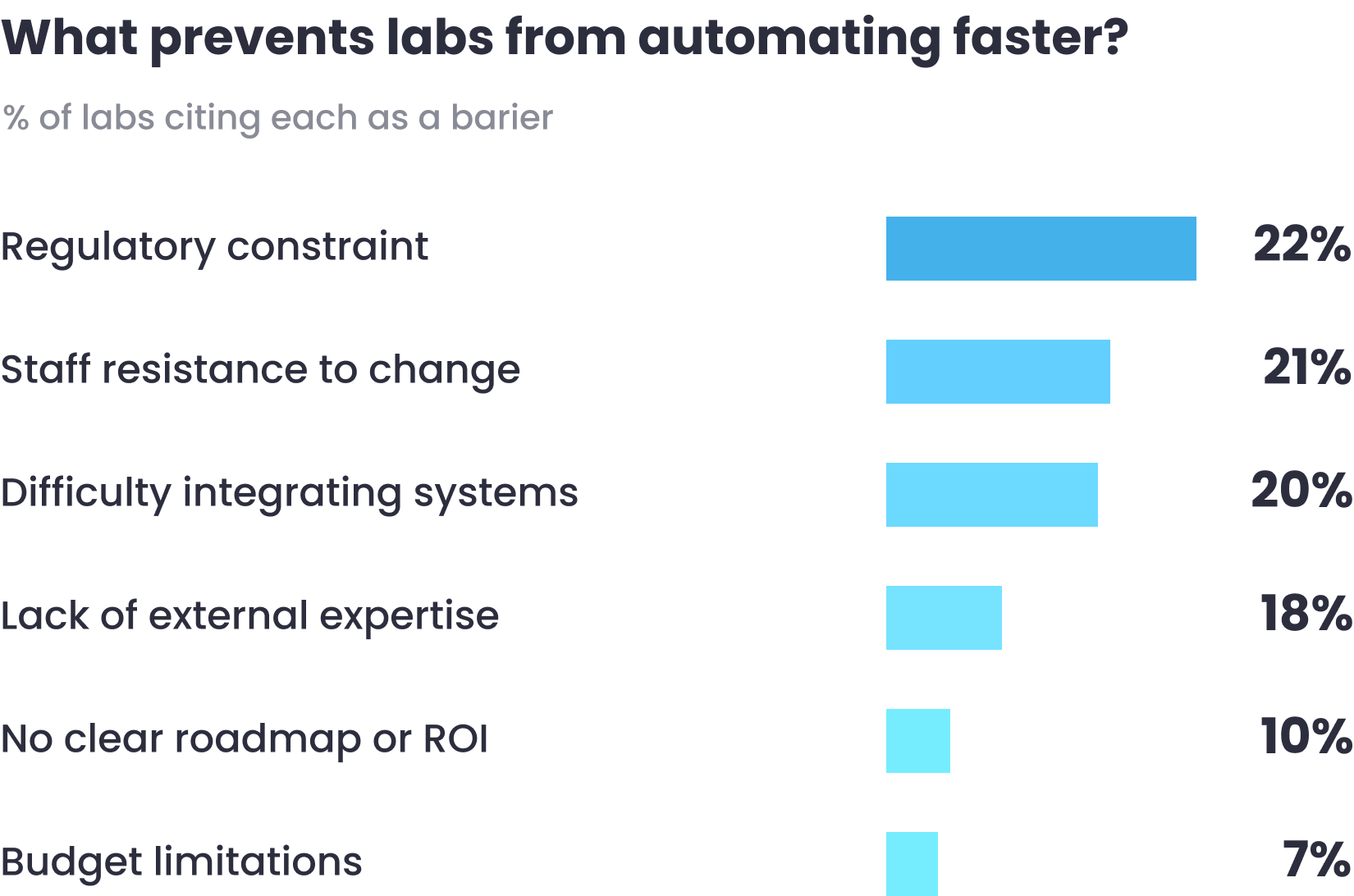
How did we end up like that? Right away, we should say that the budget isn’t to blame. In the 2026 State of Lab Digitalization Report, we surveyed 110 QA/QC labs, half of them in food and beverage. A third of the labs that already run a LIMS still run Excel alongside it. And when we asked what stops labs from automating further, the budget ranked last, cited by 7%.
So it's not a money problem. Excel survives because it covers the gaps between systems that don't talk to each other. And when labs try to remove it, they pull out the glue before they know what it's holding together.

Every lab 1LIMS works with has a story about a ‘temporary’ spreadsheet that became permanent. Okay, nearly every lab. It starts with a simple calculation, like the mean of three replicates. Then the sheet takes on assay results. Then calibration records and instrument qualification. From that point, it does the work of a regulated system. But one thing got left behind: it doesn’t have the required controls. Here’s a small part of how it might look:
Most of the time, these gaps aren’t urgent. But when an auditor asks where a number came from, you dig through old versions to find out. For a closer look at the records an auditor may need to trace, see our ISO 17025 compliance guide.
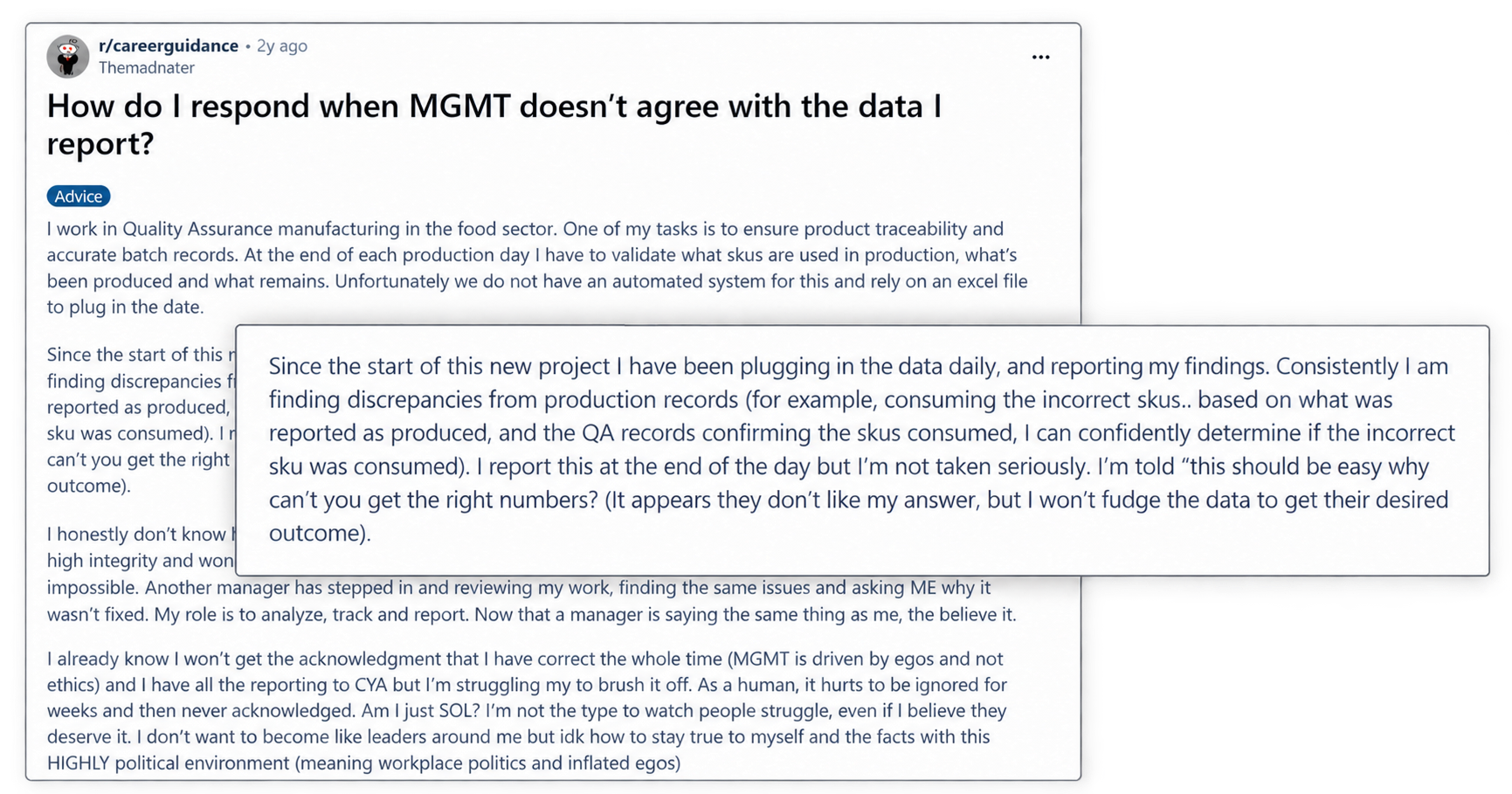
Sometimes the question can come up before an audit. One QA worker kept finding discrepancies in the production figures he entered into Excel. Management dismissed his reports until another manager found the same problems. By then, the worker said it was too late to fix the problem. For a company, that's an expensive experience. Weeks go by arguing about the numbers while the real problem gets worse.
If Excel is this risky, why do so many labs still rely on it? Because it’s doing a job needed.
In 1LIMS's 2026 State of Lab Digitalization Report, 54% of the labs surveyed said they use Excel. At the same time, 33% of labs with a LIMS still use Excel alongside it. They also mentioned reporting, instrument data transfer, and sample registration among the manual jobs that spreadsheets absorb when systems don't connect.
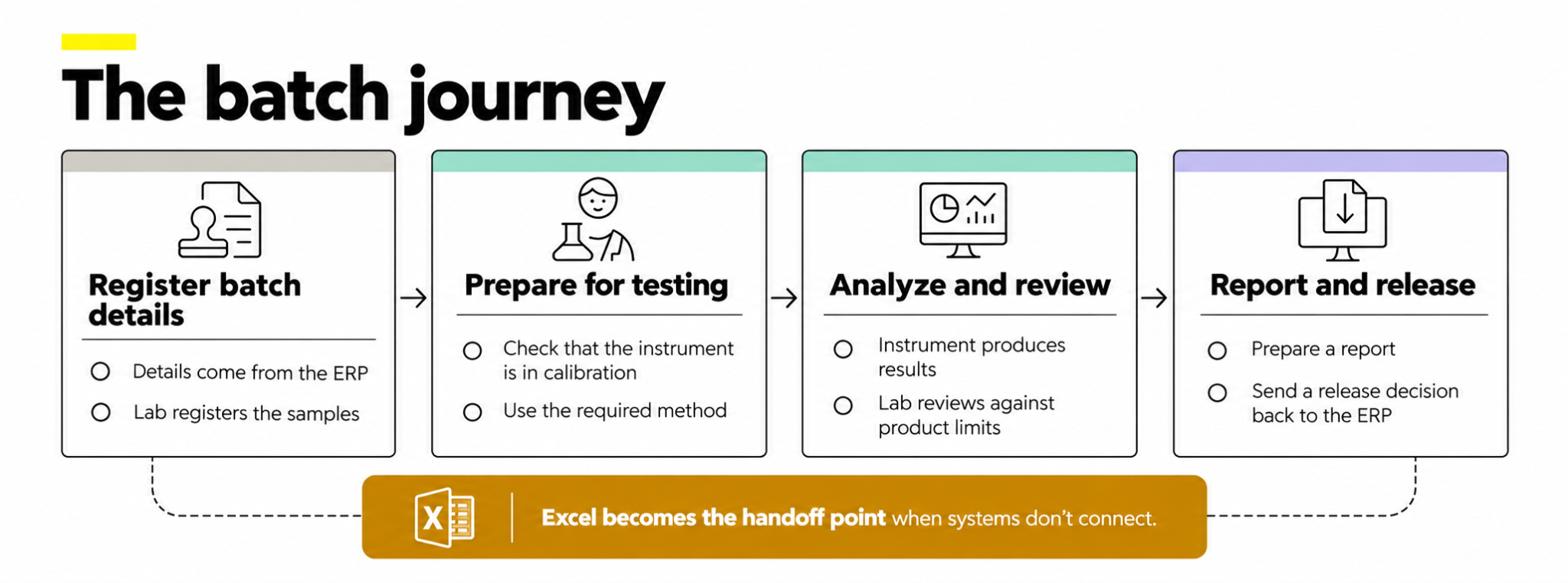
To have a clear picture, let’s recreate the journey of one batch. Its details come from the ERP, and the lab registers the samples. Before testing, the team checks that the instrument is in calibration and uses the required method. The instrument produces results, which the lab reviews against the product limits. Then it prepares a report or sends a release decision back to the ERP. If each step lives in a different place, a spreadsheet becomes the handoff point. This is how a paperless laboratory can depend on Excel.
One of our clients, Zweifel Chips & Snacks AG, a Swiss food manufacturer, used paper records and several Excel files to manage quality checks. Results were hard to find, and samples often went missing when they needed multiple tests. So they moved their lab data to 1LIMS. Now, each sample has a label the team can scan to see all its analyses. If one of them hasn't been done yet, the test plan shows it.
Zweifel is one of the labs that managed to leave Excel behind. Most labs haven't gone that far. They modernised, but built the new tools around Excel. That's why 74% of the labs in our report call themselves hybrid or mostly digital, meaning they aren't paper-based, and they aren't truly digital. Let’s see why it’s so hard to quit Excel, even when a LIMS is there.
If buying a LIMS were enough, a third of LIMS users wouldn’t use Excel. In our survey, labs cited regulatory constraints (22%), staff resistance (21%), and integration difficulty (20%) as barriers to further automation. Budget came last.
Talk to anyone working in the lab, and each of these barriers makes sense. But the risks haven't gone anywhere. A formula can change, and nobody will know or catch it before the report goes out. Why are these barriers so hard to overcome? The answer is different for each one.
In a regulated lab, the current Excel process, however messy, already passed the last audit. If you replace it, you have to rebuild the record formats, audit trails, and sign-off chains. Then defend them all to the next auditor.
Lab staff isn’t necessarily against automation. They’re used to a spreadsheet they know inside out and can change when the work changes. A new LIMS may ask them to follow the process they didn’t set. It’s understandable that they’d keep reaching for Excel.

Every instrument-to-LIMS connection gets built first, then rebuilt whenever an instrument or a software version changes. For a lab with a dozen instruments from different makers, it costs time and money. That’s why many labs decide it's easier to keep exporting to a spreadsheet.

Even if you get past all those barriers and move to a LIMS, you can get the same setup you had before. Just pricier. Remember how many spreadsheets one batch passed through? Move them all into a system that only stores records, and your team will still be copying, pasting, and double-checking. These steps need to link up so data can move from the instrument to the report on its own.
1LIMS helps you manage all your lab data in one place. It also connects that data across modules, analyses it automatically, and answers your questions in plain language.
Let’s take a few jobs that live in Excel and see how they work in 1LIMS.
The human stays in the loop where regulated work requires it. For example, there’s a validation queue that means a second person checks results before release. Risk-based testing adjusts how often you test each product, but QA signs off every change.
The features are there. Now you need a way to move off your spreadsheets and keep everything they hold.
Before you can retire a spreadsheet, you have to know what will stop working when it disappears. Skipping that step is one of the main reasons why digital lab projects fail. So map your processes, and only then look for a system to support them.

Think of that map as the first draft of your lab digitalization roadmap. Start with the files people use every day, then follow the work around them:
That's a lot to take on, especially if nobody on the team has done it before. To help you out, 1LIMS offers LabCheck. It's a structured review of your lab before any system changes. We map your processes, find where automation would help most, estimate the return you can expect, and put together a step-by-step plan. Often, a one-day workshop can cover it.
Take Model AG. Its two-person lab was juggling Access, SAP, Excel, and paper. LabCheck mapped how everything fit together and showed where automation would help. The result was a plan with a potential 50% cut in workload and around CHF 41,000 in savings a year.
Still planning to go it alone? You can start with our guide to laboratory automation, which covers the whole move from plan to rollout.
Most labs got rid of paper years ago. So let’s give Excel some credit. It helped when there was nothing better around. But it was not built for regulated labs. The longer it stays, the more expensive one wrong formula can get.
Privacy is important to us, so you have the option of disabling certain types of storage that may not be necessary for the basic functioning of the website. Blocking categories may impact your experience on the website. More information