Connecting your LIMS to SAP or any other ERP is doable in 1–2 months. Whether it goes smoothly has nothing to do with which software you have. This article breaks down what actually matters, and what to prepare before you talk to LIMS vendors.


If you're looking at connecting your LIMS with SAP or any other ERP, you've probably already asked your IT team if there's a ready-made connector. The answer was likely “needs configuration” or “it depends.”
Bad news: the real answer is more honest than it sounds. There genuinely is no universal connector between LIMS and ERP.
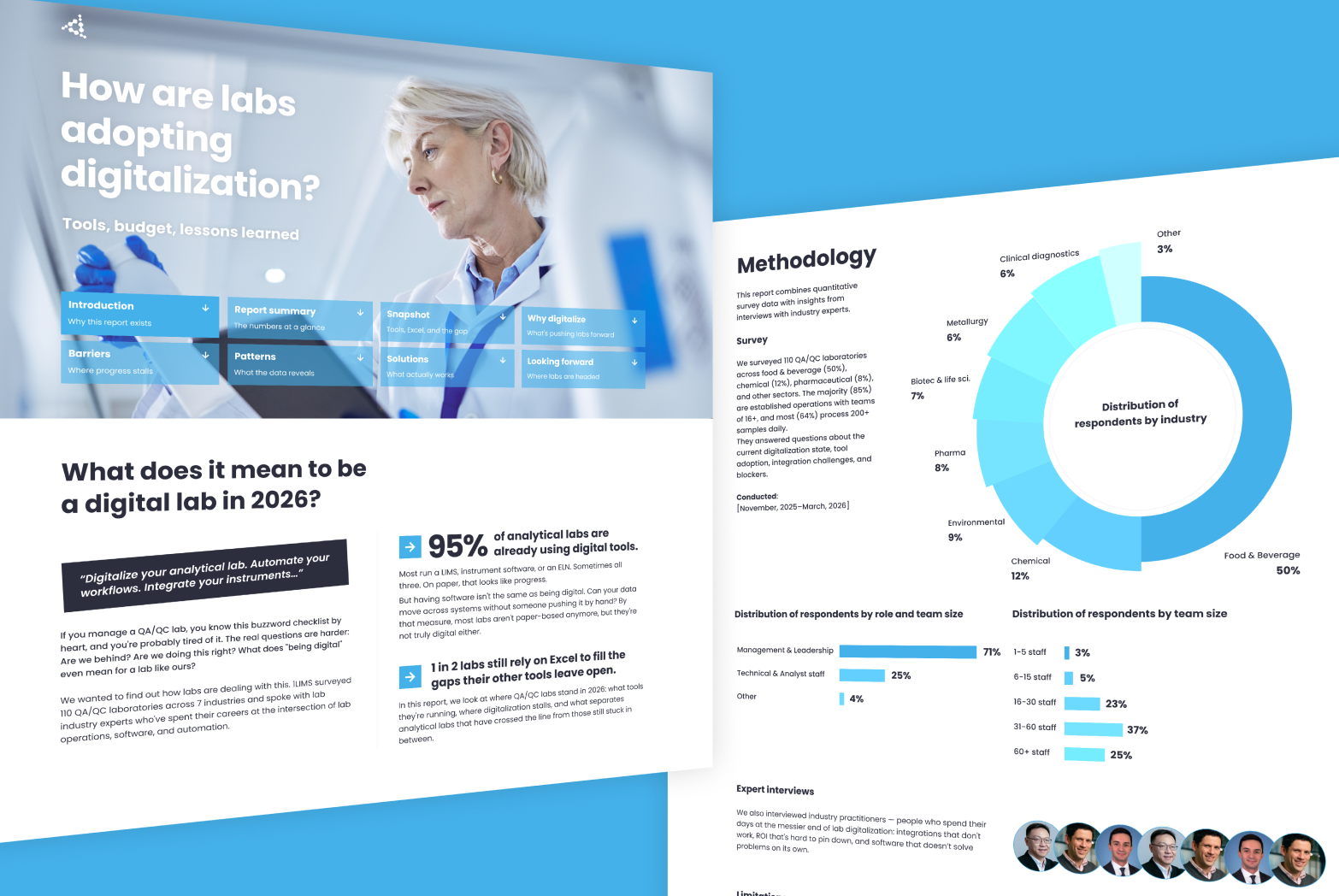
You're not alone in hitting this wall. In our 2026 State of Lab Digitalization Report — a survey of 110 QA/QC labs — only 1 in 10 said their instruments and software are fully connected. Among labs that already run a LIMS, 2 in 3 still have integration gaps.
Good news: the integration is less about the software and more about how well you understand your own analytical lab. At 1LIMS, we've connected our LIMS to enough ERPs to know exactly what that means in practice, and how to make things easier.

No, and if a vendor tells you otherwise, I'd push back.
ERP systems are all different. SAP alone has versions that are decades apart. Add years of company-specific customizations on top, and no two ERP setups look quite the same.
Analytical laboratory processes are even harder to generalize. Two food testing labs in the same industry, running the same ERP, can operate completely differently.
An out-of-the-box connector would have to ignore all of that. It would force your processes to fit the software instead of the other way around. That never ends well.
This is the cost most labs don't plan for. Patrick Courtney, a board member at SiLA, calls connectivity "the problem no one budgets for and nearly everyone hits." Every instrument and system speaks its own language, so each connection has to be built by hand — and rebuilt every time something changes.
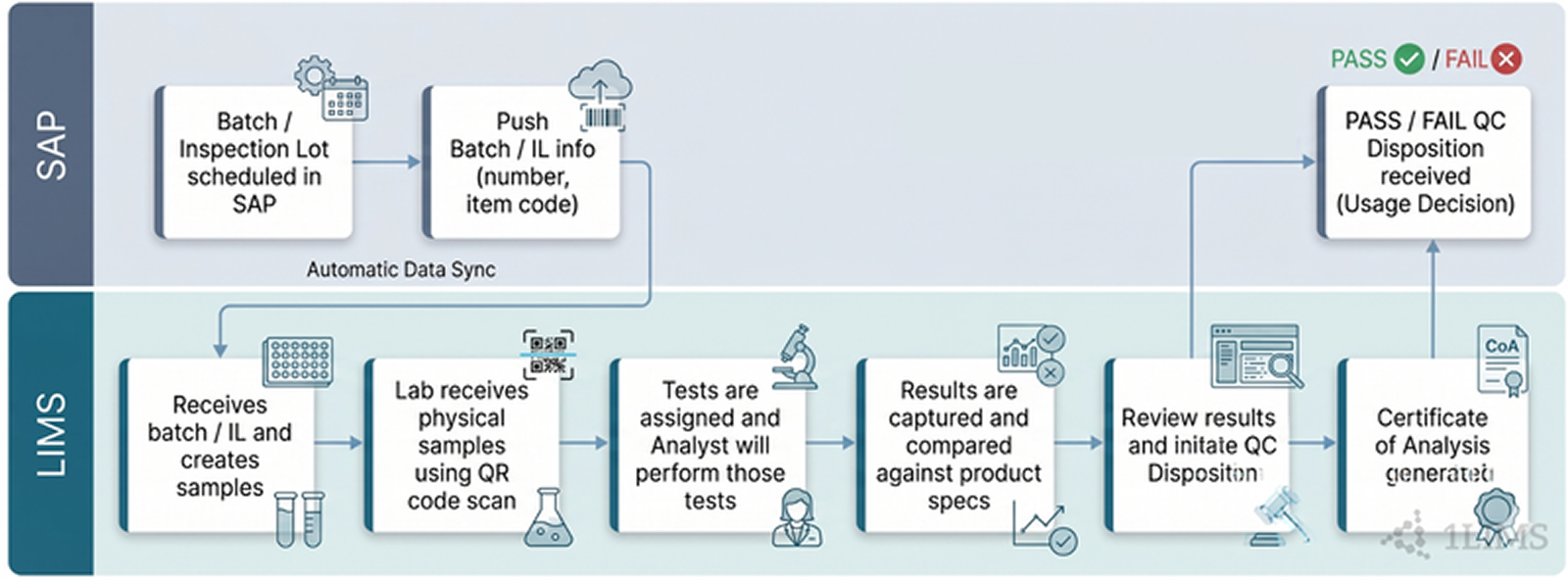
There is a flow that plays out the same way across industries and ERP systems. Here’s our personal example to demonstrate what this flow looks like.
Märsch Importhandels-GmbH, a nut producer we work with, used to handle quality control manually: emails, spreadsheets, phone calls between the quality lab and production. Now, when a new nut batch shipment arrives, the ERP reports the receipt and 1LIMS automatically generates the quality control order for pesticide testing. Results come in directly from the external service laboratory. The quality manager approves in 1LIMS, and in the same second, the batch status in the ERP will jump to “Released for production.”
That's the flow. What changes from lab to lab is the logic underneath it: which data moves, when, and why. The integration method that makes it possible depends on your IT infrastructure.
There are four ways to connect LIMS and ERP. Which one applies to you depends on your IT infrastructure, but here's what each one means.
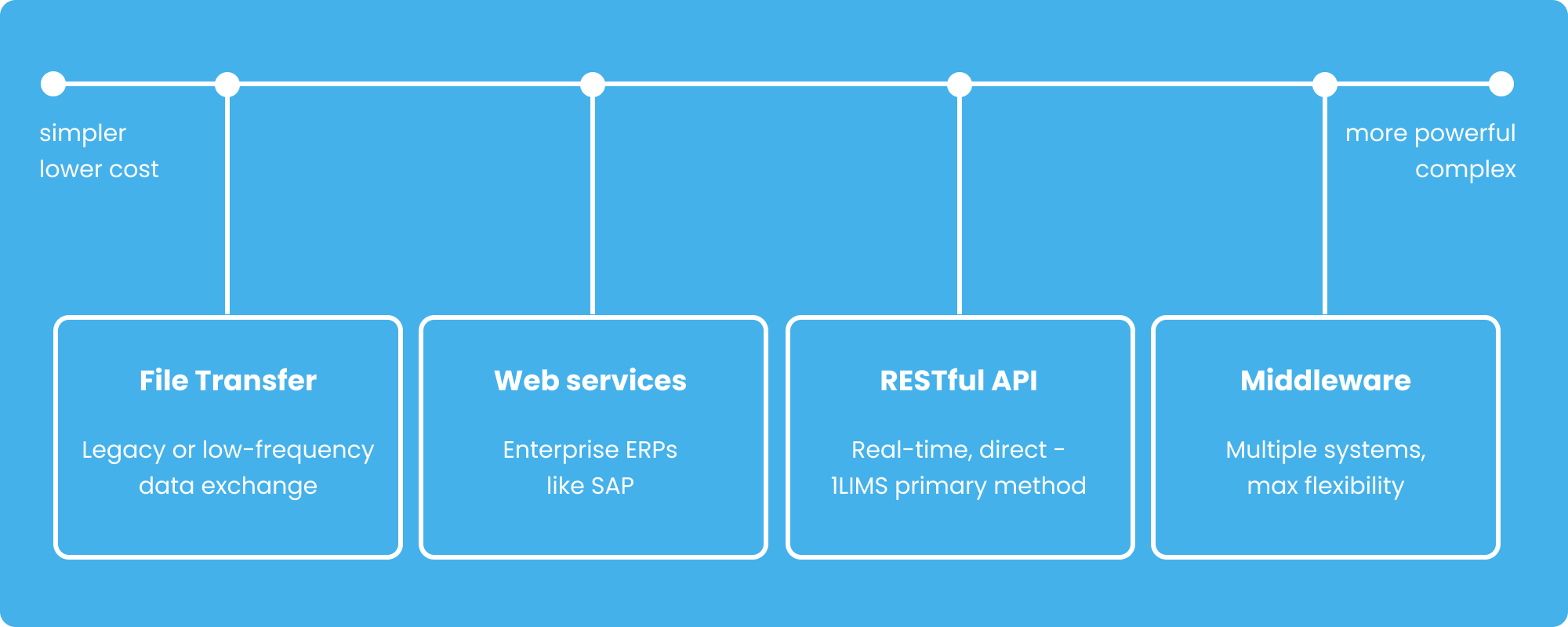
We at 1LIMS support all four. Our ERP integration can be built around whatever your infrastructure allows.
But the method is only the technical layer. What actually shapes the project is the logic underneath it: which data flows between your systems, when, and why. That's what you need to think through before the project starts. Let’s take a closer look.
Modern LIMS can integrate with any ERP — SAP, Abacus, Business Central, Odoo, or whatever you're running. Yet, the brand of your ERP isn't what makes or breaks the project. What does? How well you understand your own analytical lab. Your workflows, your data, how decisions get made, and what your compliance requirements are.
Before your first conversation with a LIMS vendor, work through these five points internally. The clearer your picture going in, the more accurate your project scope and cost estimate will be.
Every recurring email, every “batch 442 is clear” phone call, every spreadsheet someone updates after a release decision — these are your LIMS-ERP integration points. Whatever is manual today is what the integration needs to replace.
In a typical analytical lab, those handoffs look like this:
From ERP to LIMS: a shipment arrives and the ERP creates an inspection lot — a testing order that tells the quality lab what material arrived, in what quantity, and what tests are needed. Along with it comes the material characteristics: specs that define what a passing result looks like, like acceptable pesticide levels.
From LIMS to ERP: once testing is complete, the analytical lab sends back a status decision — released, quarantined, or declined.
I recommend you go through every recurring touchpoint between the analytical lab and the business. It’ll make for a more accurate project scope and cost estimate.
This is about trigger points — deciding when your data will move between your ERP and LIMS. There are two options:
If your business depends on fast decisions, like releasing a batch before a production line goes idle, event-based is essential. If speed isn't the priority, scheduling is the simpler and cheaper choice.
The integration method (API, middleware, file transfer, or web services) depends on your existing IT infrastructure. Your IT team and a LIMS provider will make that call together. But they do need some basic information from you first:
These answers tell a LIMS vendor which integration method is possible for your setup.
ERP and LIMS store the same real-world concepts under different names. What your lab calls “Batch Number” might be stored as “CHARG: in SAP. Data mapping is the process of matching them up, and your LIMS vendor handles the technical implementation.
But the better you know how your data is going in, the faster and cheaper that process will be. Here's what you can do upfront:
You won't produce a finished mapping document as it requires a LIMS vendor. But having this overview means less discovery time.
Connecting two systems introduces a new lab compliance risk. Something can change in transit, arrive differently than it was sent, or get modified in the ERP after the fact.
How much this affects your integration scope depends on your standard. ISO 17025 and GMP add some configuration work: audit trails, change logging, approval records. FDA 21 CFR Part 11 and EU Annex 11 add significantly more: electronic signatures, validated software, controlled access. Your LIMS vendor needs to know which one applies before they scope the project. It changes what needs to be built.
These signs will tell you whether your lab's day-to-day is set up for a smooth LIMS–ERP integration, or whether some internal work needs to happen first.
In practice, a well-prepared LIMS-ERP integration looks like this:
If you recognize some red flags, that's not a reason to abandon the project. It means some internal work needs to happen first to document your processes, clarify ownership, and agree on how the two systems will coexist. At 1LIMS, we build this into the implementation process for exactly this reason.
A LIMS–ERP integration at 1LIMS runs in four phases and takes about 1–2 months. The timeline depends on how well your processes are documented and how complex your data flows are.
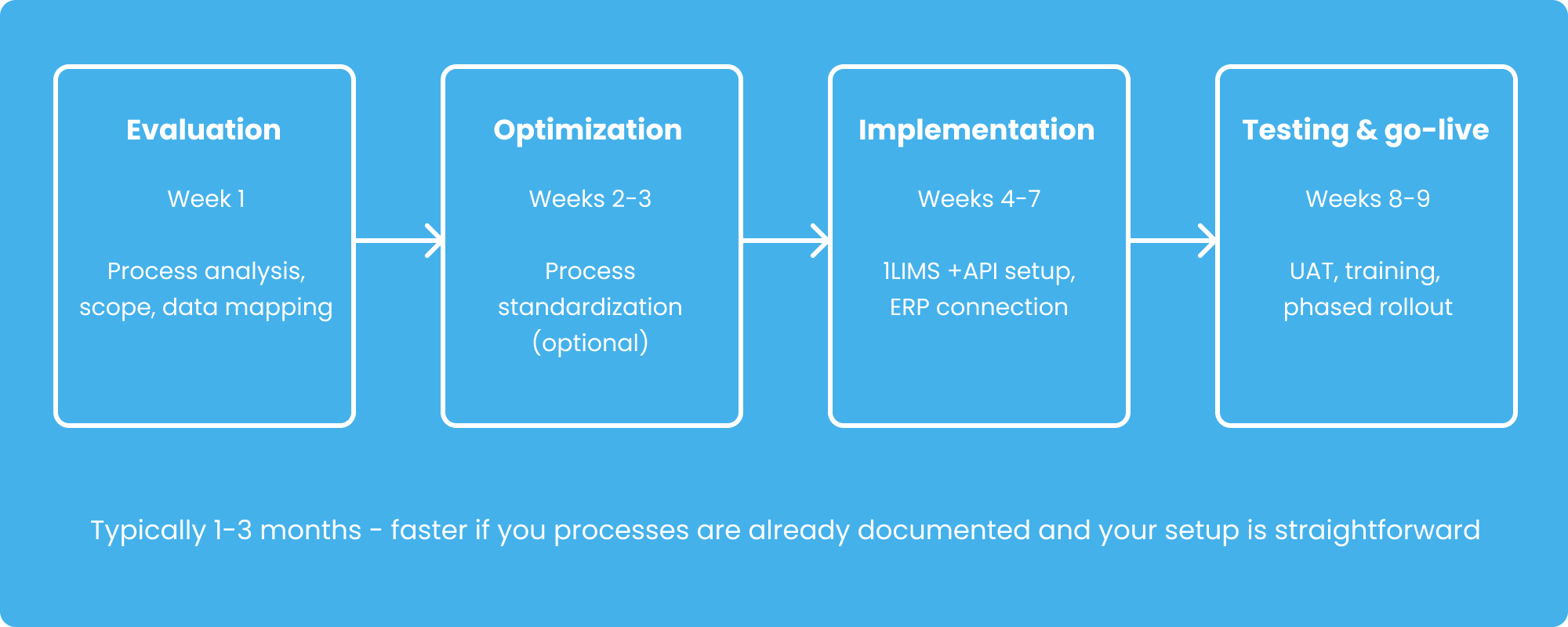
First things first, we run a workshop to identify where data gets lost, duplicated, or held up. A typical finding: your ERP generates a testing order the moment a shipment arrives, but the analytical lab doesn't see it until someone manually forwards it; sometimes the next day. By the end of the week, we have a clear picture of what needs to be built and a cost-benefit breakdown tied to specific KPIs.
Some analytical labs come in with documented processes and go straight to implementation. Others need to sort a few things out first, like the fact that three people in the lab approve results differently depending on who's in that day, or that “batch number” means something slightly different to the lab team than it does to the ERP.
This is where we configure 1LIMS to fit your work. We set up user roles, approval permissions, report templates, and connect everything to your ERP. We can also integrate with any lab instruments or external service labs you work with.
Your team uses the system in real lab conditions before anything goes live with real samples. This is where you find out if the release decision actually reaches the ERP in the right format, or whether someone's approval triggers a notification that goes to the wrong person. Better to find it now. Then a phased rollout, so nothing switches over all at once.
What determines whether the integration works is how well you understand your own lab: your workflows, your approval logic, your data, your compliance requirements. Get those clear, and the rest follows.
All that said, before any of these phases begins, we start with a quick assessment of your lab. You can do that now, for free. Take the quick LabCHECK and get a personalized Lab Digitalization Guide based on your answers.

Privacy is important to us, so you have the option of disabling certain types of storage that may not be necessary for the basic functioning of the website. Blocking categories may impact your experience on the website. More information