We’ve helped 75+ labs move their data into 1LIMS. What surprises most teams is how much of the work happens before the first data import. The good news: data migration is included in our one-month setup, making the transition far less stressful. Here’s how it works.


Migrating all your lab data to a new LIMS sounds simple – until you’re responsible for it.
Switching from Excel or a legacy LIMS quickly raises tough questions:
The concerns are valid. Many LIMS migrations do go wrong because they’re treated as a basic data import rather than a controlled, validated process.
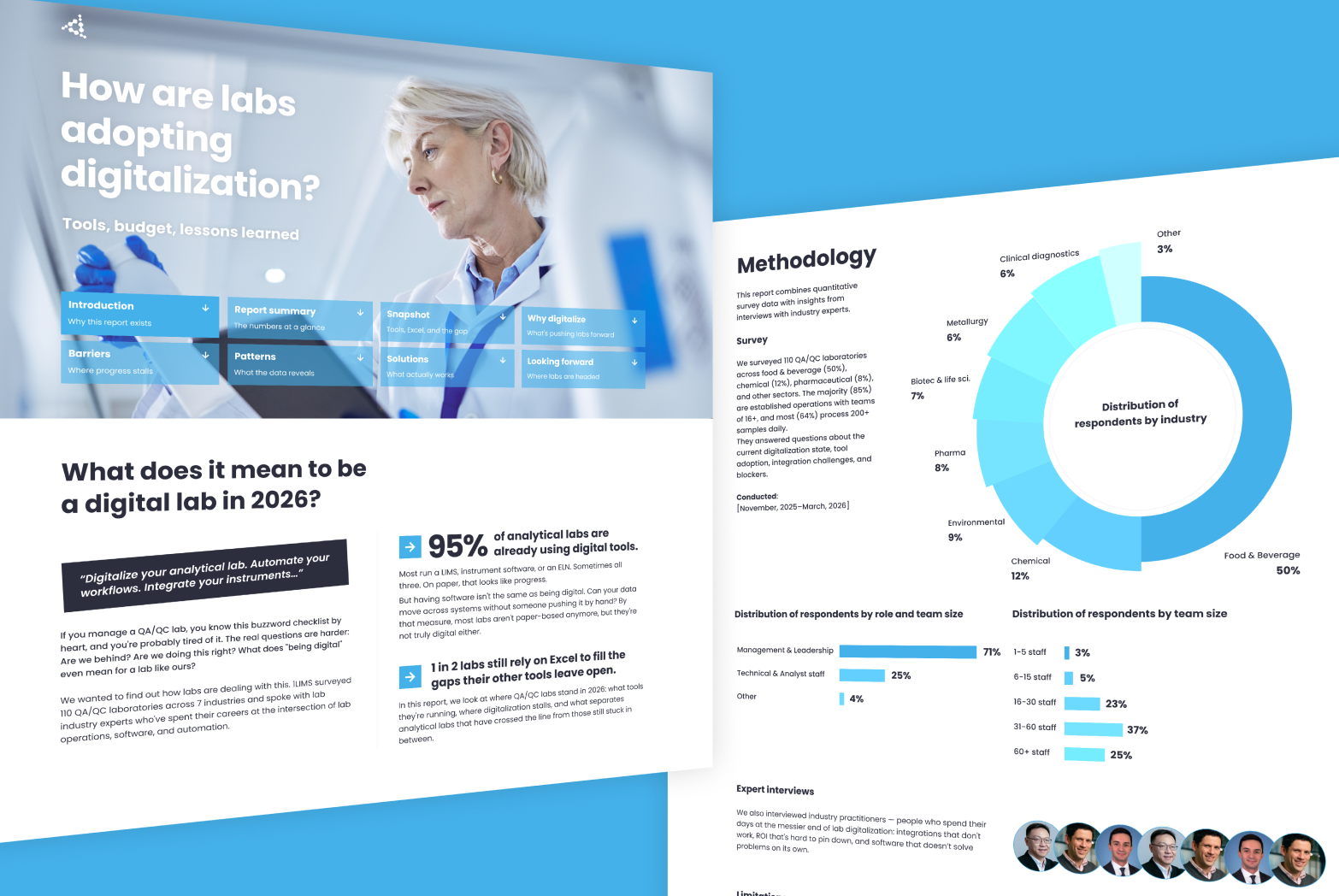
At 1LIMS, we’ve seen data migration become the main barrier that prevents labs from adopting a LIMS, especially in food and manufacturing environments, where data integrity and traceability are non-negotiable. It rarely comes down to money. In our 2026 State of Lab Digitalization Report — a survey of 110 QA/QC labs — budget ranked dead last as a barrier to digitalization, at 7%. The blockers that actually stall projects are regulatory complexity, staff resistance, and the practical fear of moving years of data without breaking it. Take that last one off the table, and the path to a LIMS gets a lot shorter. That’s why we built a structured migration process and included it in our one-month setup.
The goal is simple: help labs move safely, without losing records or disrupting daily work.
Below, we explain how LIMS data migration to 1LIMS works, step by step.

Case in point. When Zweifel Chips & Snacks AG, a Swiss snacks manufacturer, was evaluating a LIMS, their quality lab worked with a mix of Excel spreadsheets and paper records. As data volumes grew, this setup increased the risk of errors and led to lost samples.
This is a familiar starting point for many labs we work with: data is spread across files and formats, Excel is no longer a fitting tool. And it's where most labs still are. In our survey, 54% rely on Excel, making it the second most-used tool after LIMS, and 1 in 3 labs that already have a LIMS keep running it alongside. The longer Excel stays in the workflow, the more duplicate samples and inconsistent IDs accumulate. Those are the issues a migration has to untangle later. And while adopting a LIMS promises structure, the idea of migrating years of data comes with understandable concerns about data loss or disruption.
Having worked with more than 75 labs, we’ve shaped a migration process that makes this transition structured, predictable, and far less stressful.

In practice, migrating data to 1LIMS typically involves five stages:
Stage 1: Review historical data to define scope and build a realistic migration plan.
Stage 2: Understand the logic behind your lab data so it transfers correctly.
Stage 3: Identify and resolve data issues before they enter the new system.
Stage 4: Import a representative data subset and validate it together with your team.
Stage 5: Go live through a controlled switchover with minimal disruption.
See also: How to integrate LIMS with your lab in 30 days.
Let’s take a closer look.

We start with a LabCheck workshop, which can be conducted either on-site or online. Together with your team, we review all existing data sources. In most labs, this is a mix of systems and formats, such as:
From there, we collect representative sample files. Using our internal analysis tools, we assess data structure, quality, and potential risks. Then, we identify what needs to be cleansed, standardized, or clarified before migration.
The amount of historical data we migrate depends on your regulatory and operational needs. In most cases, labs choose to migrate five to seven years of data to support compliance and trend analysis. If required, we can migrate the full historical dataset.
Say your lab has an Excel sheet with a column called “Result”.
Inside that column, people enter things like:
Everyone in the lab knows what this means:
But this logic lives only in people’s heads. Excel allows that flexibility. A LIMS doesn’t.
During mapping, we work with you to turn these free-text values into clear, structured statuses and make rules like “does this block a batch?” explicit. This ensures your lab’s existing data logic is carried over correctly before anything is imported into 1LIMS.
We work with your lab managers, quality managers, and lab technicians to validate the meaning of the data and confirm how it’s used in daily work. We start with the core entities every lab works with: samples, customers, methods, and results.
Mapping is done using our proprietary ETL (Extract, Transform, Load)engine, which includes a visual mapping interface. Together with your team, our migration specialists confirm data meaning and drag and drop source fields from Excel or legacy systems to their corresponding fields in the 1LIMS schema.
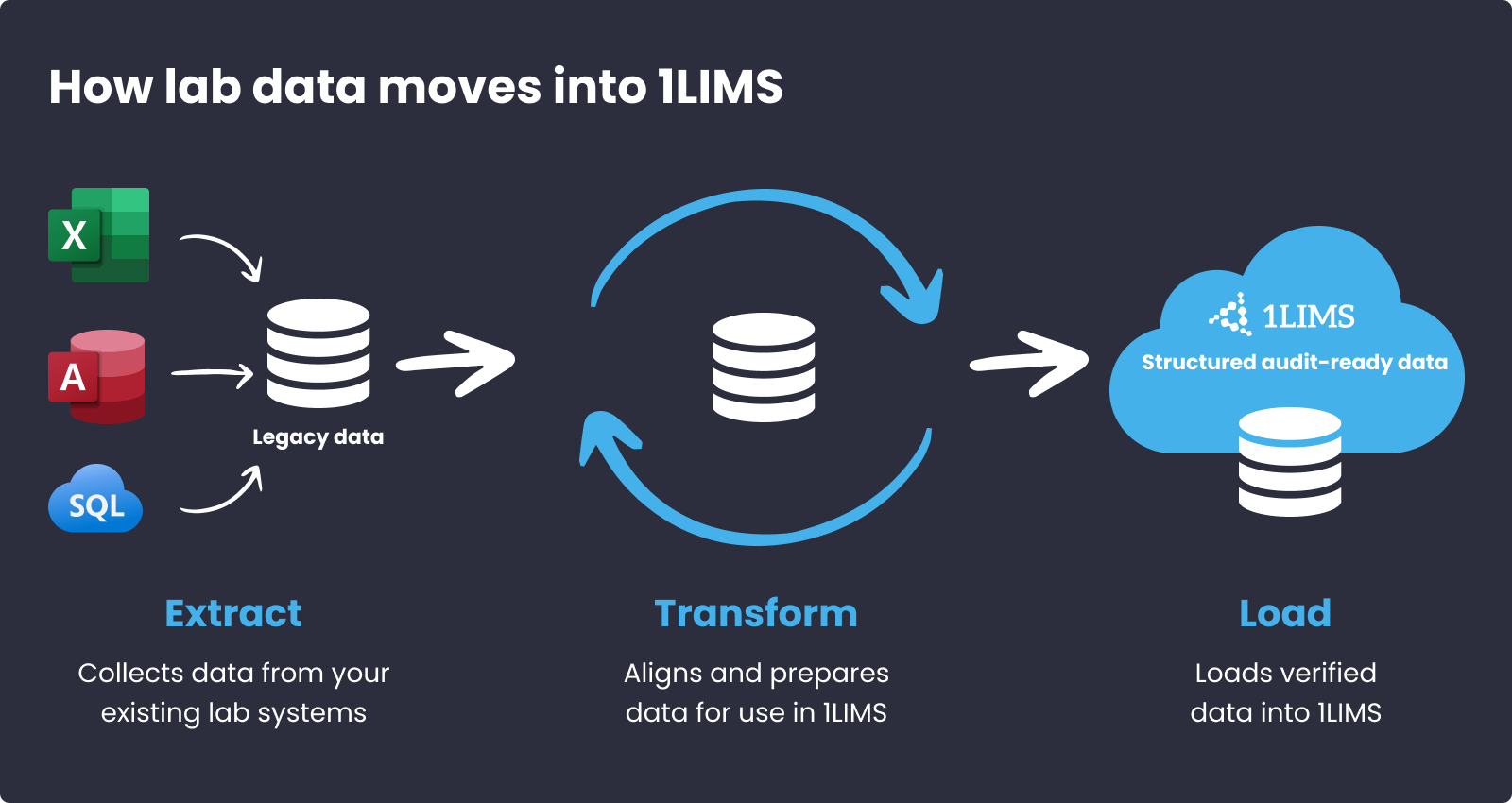
For common setups (like standard Excel layouts or known legacy LIMS platforms) we use pre-built mapping templates. For more complex cases, like splitting a single column into multiple fields, merging values, or applying lab-specific business rules, we use a Python-based transformation layer. It allows us to handle unique data structures.
The outcome is a written, reviewable record of how each piece of legacy data ends up in 1LIMS. It can be referenced later, including during audits or follow-up changes.

In long-running Excel setups, it’s common to find the same sample listed more than once. For example:
Both rows may have:
Everyone in the lab knows this is the same sample, and that the naming just changed at some point. Excel allows this to coexist without complaints. A LIMS doesn’t.
During data cleansing, this shows up as a duplicate record with inconsistent IDs. The system can flag that the entries look like duplicates, but it can’t decide which ID is correct, whether both should be kept, or whether one should be removed.
So, this stage is where we surface issues that Excel- or Access-based setups often tolerate until they start causing confusion in a LIMS. Most commonly, these include:
We treat data cleansing as a two-lane process:
Automated detection: Our import tools use built-in validation rules to automatically detect common issues, such as duplicates, missing IDs, or formatting inconsistencies. These checks flag problems and generate reports. They do not silently change data.
Manual resolution: Some issues require context and judgment. For example, deciding which duplicate entry is correct or whether older data should be retained. In these cases, we work with your lab team. You make the final decisions, and our team supports the cleanup process. Responsibility for data accuracy remains with you as the data owner.
At this point:
But none of that matters unless you can see the result inside the system and confirm it behaves as expected. Stage 4 answers one key question:
If we switched to 1LIMS tomorrow, would everything actually work the way we expect?
Instead of migrating everything at once, we import a representative subset of your data (for example, the last few months) into a separate sandbox environment. This allows you to test the outcome without affecting live operations.
Validation happens in two layers:
Training happens during this phase, too. We run administrator and end-user training while you validate the data, so your team is ready to work in 1LIMS before go-live.
By the time you reach this stage, most of the effort is already behind. Around 80% of the work happens earlier during analysis, mapping, cleansing, and testing.
The final migration itself is an easy part. It typically takes a few hours and is scheduled overnight or over a weekend to avoid disrupting daily lab operations.
After the final import, we:
During this phase, your legacy system continues to run in parallel. The final switch to 1LIMS happens only after you confirm that everything has been migrated correctly and meets your expectations.
Zweifel Chips & Snacks AG migrated approximately 25,000 historical records from Excel and paper to 1LIMS in four weeks. All defined data was transferred successfully, with zero downtime during the switch.
The lab’s analysts were trained during the test phase and could work productively in 1LIMS from day one. By week five, the system was fully in use for daily quality control operations.
For teams who want to look one level deeper, here are the technical measures we use to protect data integrity during migration. These controls ensure that data is transferred completely, relationships are preserved, and every step can be reviewed and audited.
1LIMS is built to make onboarding structured and predictable. Instead of relying on external IT teams or one-off scripts, our implementation team handles data migration end to end and guides your team.
Migration is included as part of the implementation scope. In practice, 1LIMS software costs vary between €5,500–€23,000 (≈ $6,400–$27,000). This covers all stages: lab assessment, configuration, data migration, and team training.
Today, 75+ labs across Europe and beyond use 1LIMS in daily operations. If you’re considering a move to a modern LIMS, too, we’re happy to walk you through how it would work for your lab.
Finally, if you’re preparing for a migration, whether with 1LIMS or another system, it helps to think through a few basics:
These steps don’t make migration trivial, but they do make it manageable. Because a well-prepared migration is about reducing surprises once the data is inside the new LIMS.

Privacy is important to us, so you have the option of disabling certain types of storage that may not be necessary for the basic functioning of the website. Blocking categories may impact your experience on the website. More information